Your Focus. Elevated.
FOKUSBAR
The intelligent macOS menu bar companion
that helps you focus, stay organized and get more done.
THE REAL PROBLEM
You lose 2 hours every day — and don't even notice.
Cmd+Tab. Open calendar. Check meeting. Back. Notes app. Jot the idea. Spotify. Skip song. To-do app. Wait, where was I?
23 minutes — that's how long UC Irvine says your brain needs to get back into flow after each interruption.
You don't have too little time. You have too many windows.

— American Psychological Association
MAKE IT YOURS
Your Mac. Your wallpaper. Your FokusBar.
12 built-in themes, every accent color, every font. The sidebar adapts to your desktop — not the other way around. Here are a few setups from our beta users.
Interstellar
Deep-space wallpaper · Cyan accent · Dark mode
Blade Runner 2049
Cinematic still · Mint-glass sidebar
Naruto Kurama
Fan-art wallpaper · Amber glow accent
Cyberpunk Neon
Anime wallpaper · Magenta accent · OLED black
Pikachu Light
Bright wallpaper · Glass sidebar · Yellow accent
← Swipe to see more
THE SOLUTION
A sidebar that's only there when you need it.
No app-switching. No tab avalanche. No „wait, where's my to-do list?“. Mouse to the left edge — everything is there. Mouse away — everything is gone. That simple.
How it works
Three seconds. Zero learning curve.
Mouse to the left edge
FokusBar glides in smoothly — in under 200 ms.
Click, type, plan
Calendar, to-dos, notes, music. All at a glance.
Mouse away → bar away
No click, no shortcut. It vanishes on its own.
WHAT'S INSIDE
Seven tools. Two mouse-flicks. Zero distraction.
one edge
- 01📅
Calendar at a glance
Today, tomorrow, this week. Apple Calendar, Google & Outlook.
- 02✓
To-dos that stick
Quick capture, check off, done. Syncs with Reminders, Todoist & Things.
- 03📝
Notes without friction
Markdown, auto-save, searchable. Idea hits → captured → gone.
- 04🎧
Music without opening Spotify
Play, pause, skip. Apple Music, Spotify & YouTube Music natively.
- 05✍️
Pen-canvas on the right edge
Mouse right → transparent overlay above everything. With real pen pressure (XP-Pen, Wacom, Apple Pencil via Sidecar). Mouse left → gone.
- 06🌙
100% private
Runs fully local. No telemetry, no cloud, no trackers.
- 07⚡
Featherweight
Native Swift app. 12 MB download. < 80 MB RAM. Apple Silicon optimized.
NEW · WORLD PREMIERE
An idea? Mouse to the right. Write over it.
Move your mouse to the right edge → a transparent canvas covers your entire screen. Sketch, highlight, annotate directly on whatever you're working on. Mouse back to the left edge → gone. Faster than any notes app. Faster than the thought itself.
- ✍️Real pen-pressure sensitivity — XP-Pen, Wacom, Huion & Apple Pencil (via Sidecar) natively supported.
- ⚡Sub-8 ms latency — feels like pen on paper, not like software.
- 🪟Floats above every app — Figma, Xcode, Keynote, browser. No switching needed.
- 📸One click → annotated screenshot straight to your clipboard.
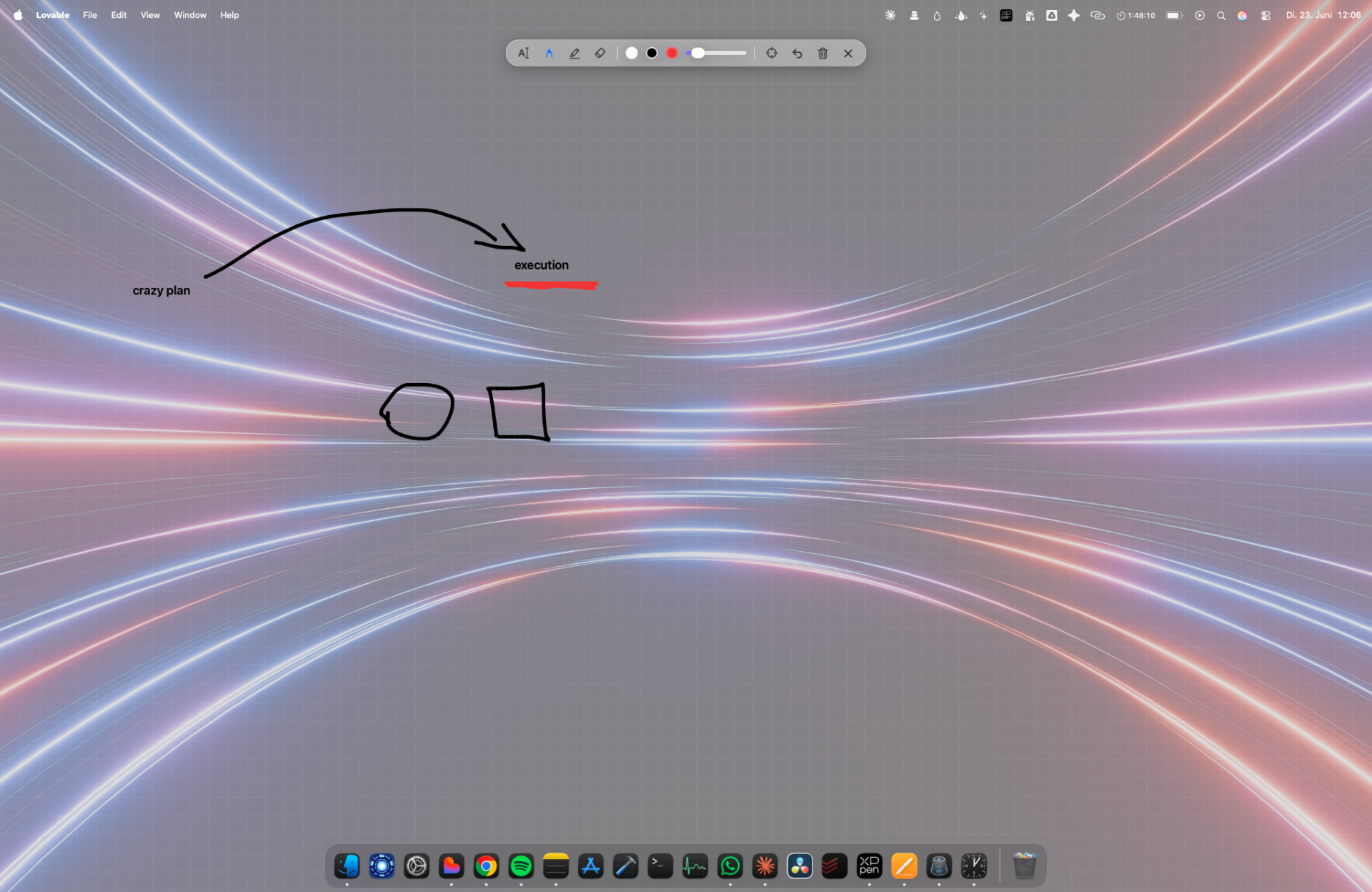
Pen-pressure active · 8 ms latency
1,200+ Mac users already work more focused
„I thought I didn't need another productivity app. Three days later I dropped Notion, Things and Spotify from my dock. FokusBar replaces all three for me."
„Finally no more 14 tabs. I barely use Cmd+Tab anymore. Best €3.99 I've ever spent."
„I write books on my Mac. Every distraction kills 30 minutes. With FokusBar focus stays, because nothing is on screen that doesn't need to be."
„It's there when you want it. It's gone when you don't. That's software the way it should be."
Why not just Notion?
Because Notion is a web app. And you don't need another web app.
SIMPLE PRICING
Pay once. Keep it forever.
FokusBar — one-time license
one-time – no subscription
Download FokusBar and try it free for 24 hours. After that you unlock it permanently with a one-time purchase.
What's included:
🔒 Secure payment · Credit card · Apple Pay · PayPal
30 days. Full guarantee. Zero risk.
Try FokusBar for 30 days. If you're not noticeably more focused within that time, email us just the word „Refund" — we'll send back every cent. No questions. No form. No bullshit.
Frequently asked questions
Is this a subscription?+
No. You pay €3.99 once and can use FokusBar forever.
How does the trial work?+
After the download the app runs fully for 24 hours. After that it asks you once to purchase.
Which Macs does it run on?+
macOS 14 or newer, Apple Silicon and Intel.
Can I use it on multiple Macs?+
Yes. Your license covers up to 3 Macs (MacBook + iMac + Studio = fits).
Does it work with my existing calendar / to-do tool?+
Yes: Apple Calendar, Google Calendar, Outlook, Reminders, Todoist, Things. Apple Music & Spotify natively. More added monthly.
Does FokusBar collect data?+
No. Everything runs locally on your Mac. No telemetry, no analytics, no tracking. Promised.
Stop switching. Start working.
Installed in 60 seconds. Learned in 3 seconds. Indispensable in 1 day.
One-time payment. No subscription. Free updates.